01 / ORGANIZE
Your documents.
Organised by AI.
Upload your documents. Cella's AI automatically sorts them into smart spaces for you.
Explore smart spaces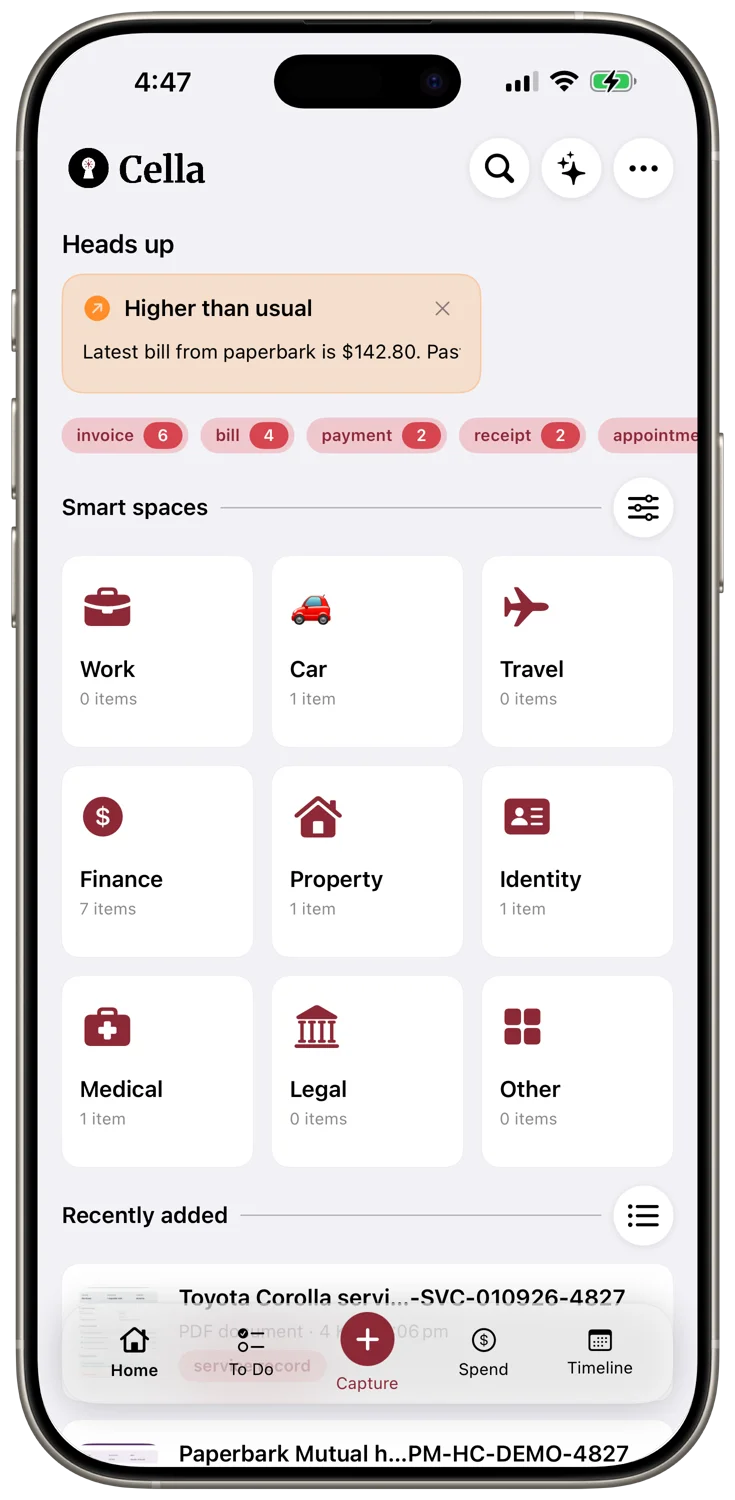

YOUR LIFE, A LITTLE LIGHTER
Your smart personal vault.Upload your documents. Cella organises them automatically.
Chat with your documents and find insights.

A PLACE FOR EVERYTHING
From the receipt you might need later to the deadline you can't miss. Less searching, less sorting, more breathing room.
01 / ORGANIZE
Upload your documents. Cella's AI automatically sorts them into smart spaces for you.
Explore smart spaces02 / ASK
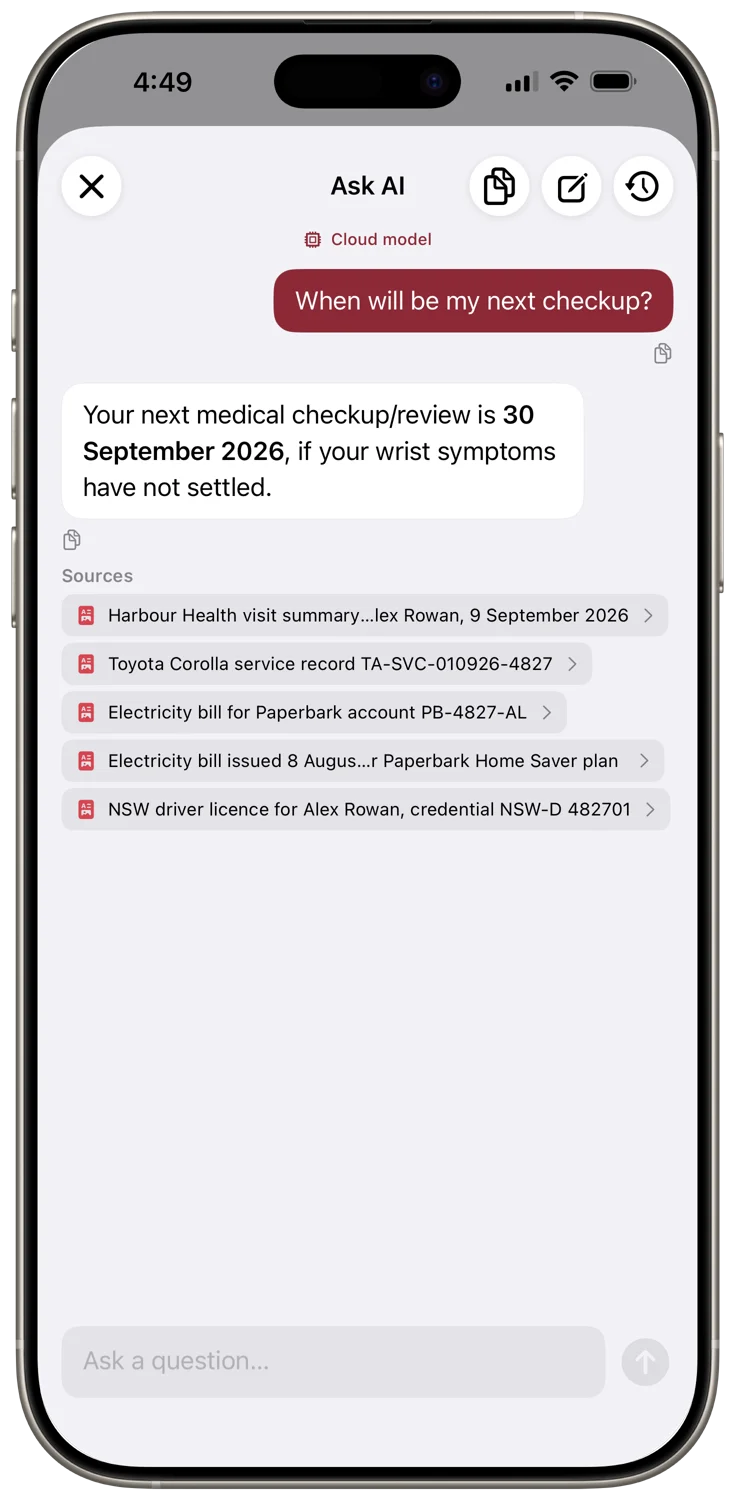
Ask a question. Cella's AI finds answers in your documents and shows you the sources.
03 / FOLLOW THROUGH
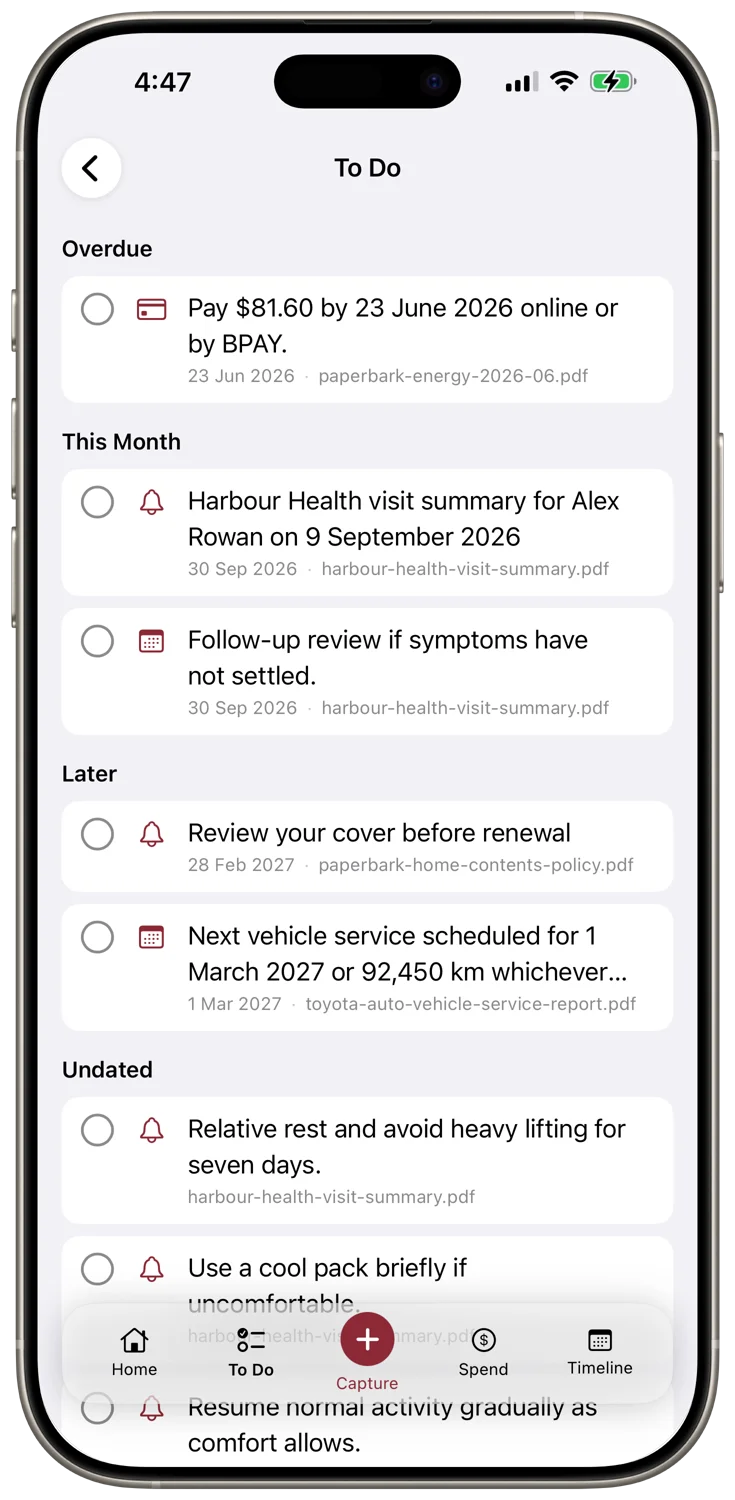
Keep to-dos and due dates connected to the documents they came from.
04 / KEEP TRACK
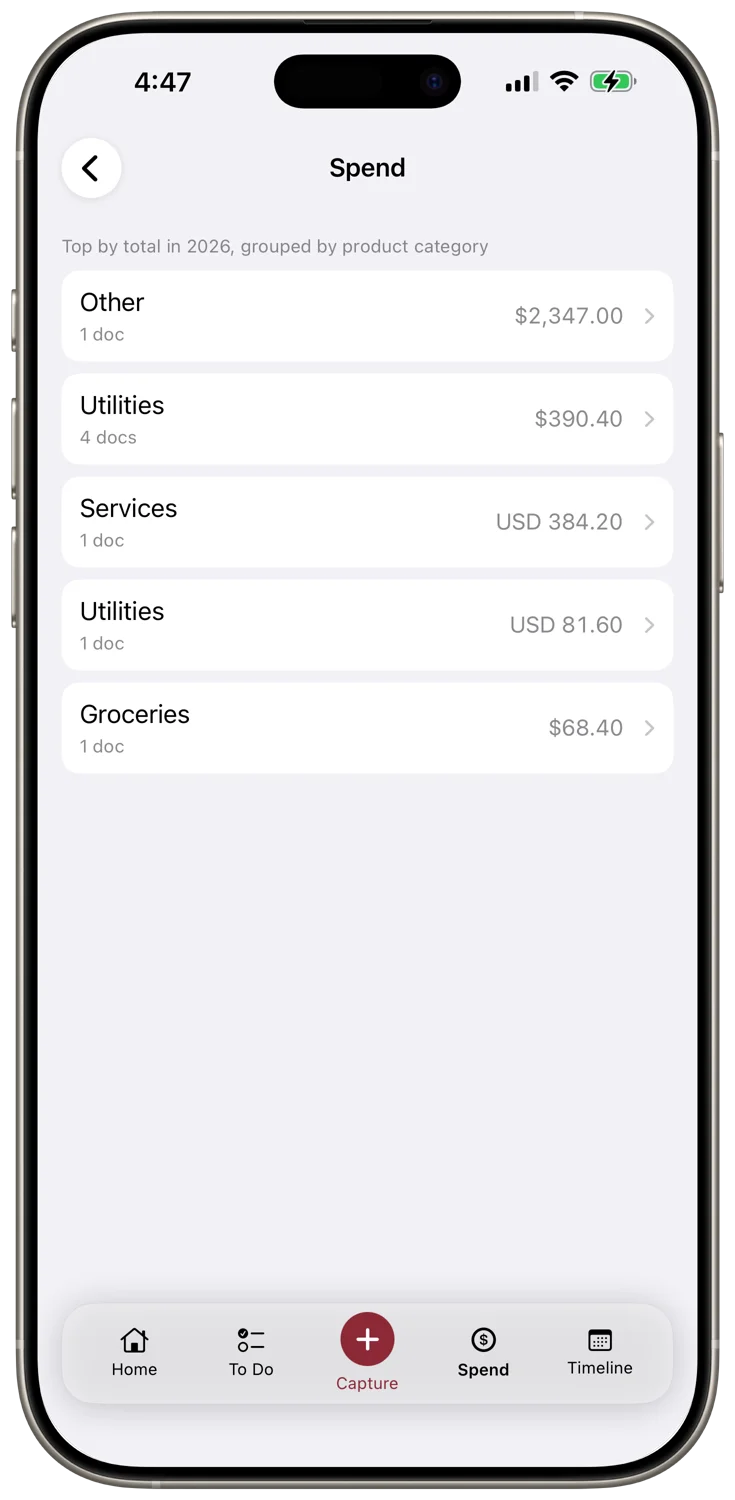
Turn receipts and bills into a clearer view of your spending, by category.
REAL APP. EVERYDAY MOMENTS.
Take a closer look at Cella in action.
Short walkthroughs, straight from the app.
Import a receipt and ask about the details. Give everyday paperwork a place to land.
Read the walkthroughTurn a document into a to-do, with the context you need to follow through.
Read the walkthroughFind a receipt, ask a question, and get back to the thing you were doing.
Read the walkthrough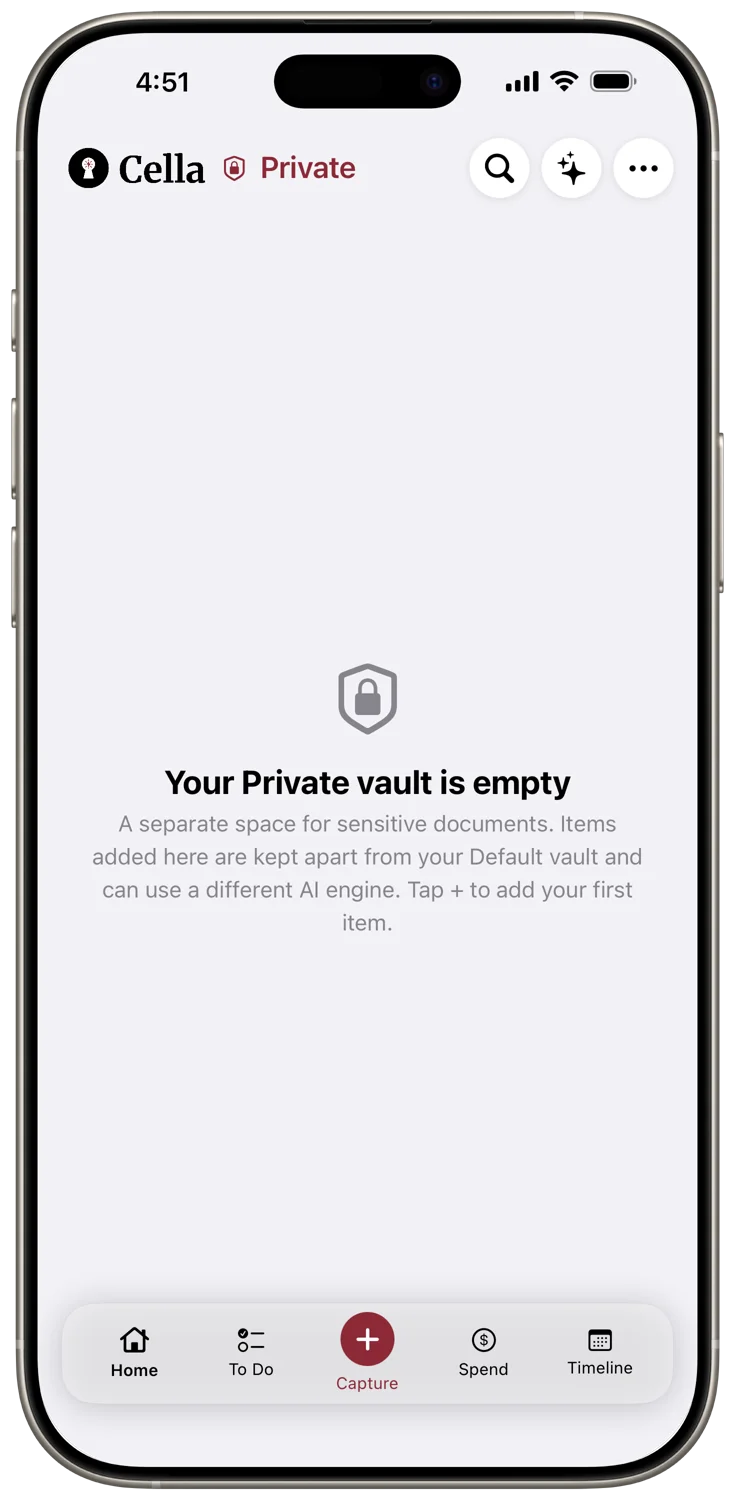
PERSONAL MEANS PERSONAL
Cella keeps your documents on your iPhone or Mac, with on-device AI by default. Your everyday information deserves a little privacy.
Receipts, bills, warranties, letters, notes, and other everyday documents. Scan with your camera, import a file, or capture a thought, then use smart spaces, search, and Ask AI to find what you need.
Cella is local-first. Your saved documents and core organization tools are available on your iPhone or Mac. On-device AI works offline once a compatible model has been downloaded. Optional cloud AI providers require an internet connection.
No Cella account is required. iCloud sync and shared spaces use the Apple Account signed in on your device. If you choose a cloud AI provider, you connect your own provider account and API key.
Private Vault puts selected documents behind a PIN, with optional Face ID or Touch ID. It is an extra access gate within Cella. You can also create an encrypted backup and choose where to store it.
Start with the first-launch walkthrough in the user guide. It covers setting up Cella, choosing your AI engine, and capturing your first document.
Cella is optimized for iPhone, iPad, and Mac. Macs require macOS 26 or later. On Mac, you can import from Finder and use Cella with a keyboard and pointer. On-device AI availability depends on your device and its settings.
Cella is a document organisation and productivity app optimized for iPhone, iPad, and Mac, and a personal AI companion for everyday life admin. It combines document management, AI-powered search and answers, task and spending tracking, and a private vault in one utility.
Cella uses Apple Intelligence or a downloadable advanced on-device model by default, so processing stays on your device. On the Max plan you can also connect your own OpenAI, Anthropic, or Google Gemini API key and choose a cloud provider per vault.
YOUR EVERYDAY COMPANION FOR IPHONE, IPAD AND MAC
Your documents, thoughts, and everyday life admin.
Together in Cella.